
Five days. One screen.
Nothing gets lost.
A personal task manager built around your week. Whatever you don't finish today moves to tomorrow on its own — no inbox to sort through, no backlog piling up out of view.
No credit card required. Available in several languages. Installs on your desktop and your phone. See all features
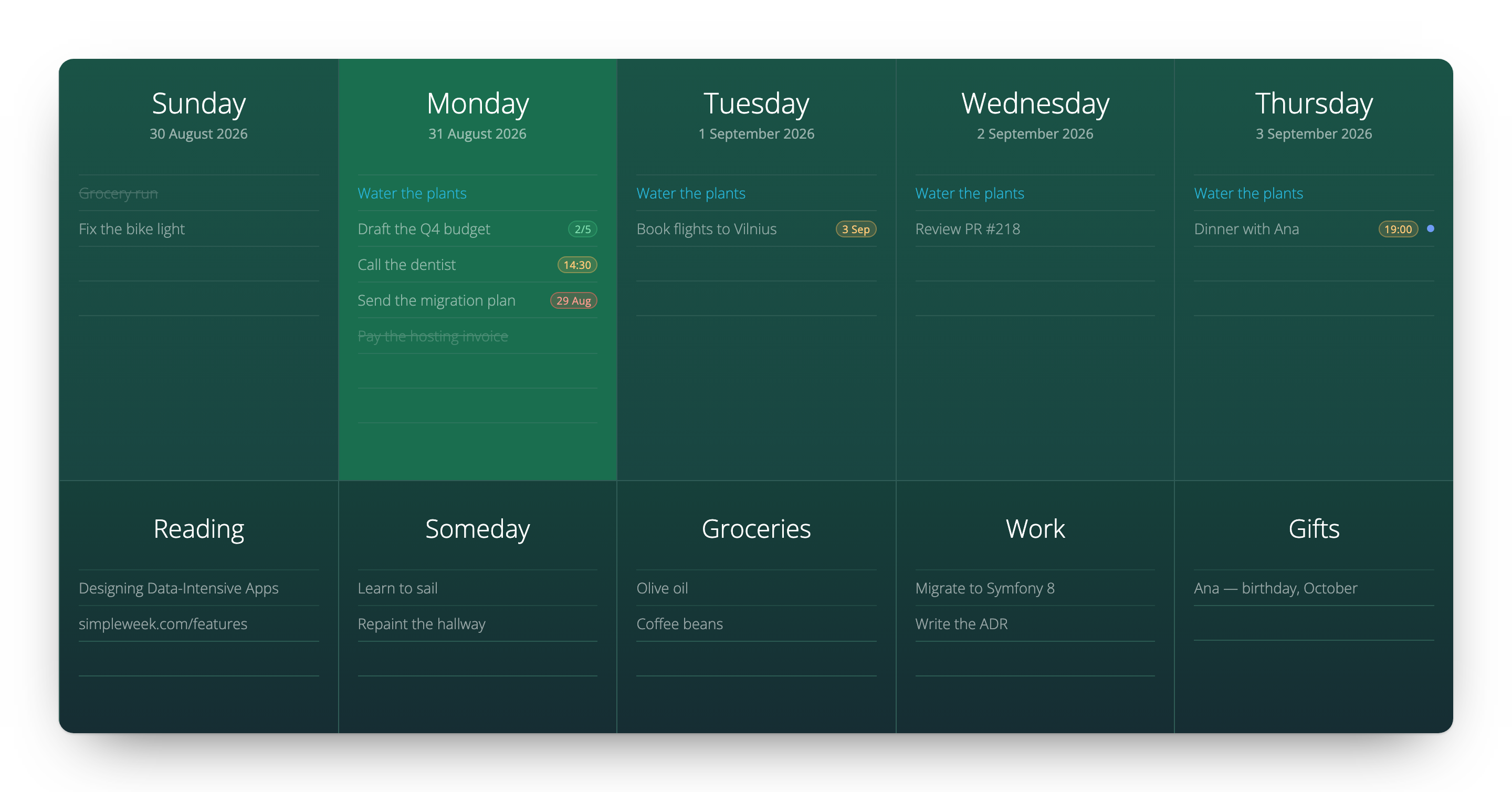
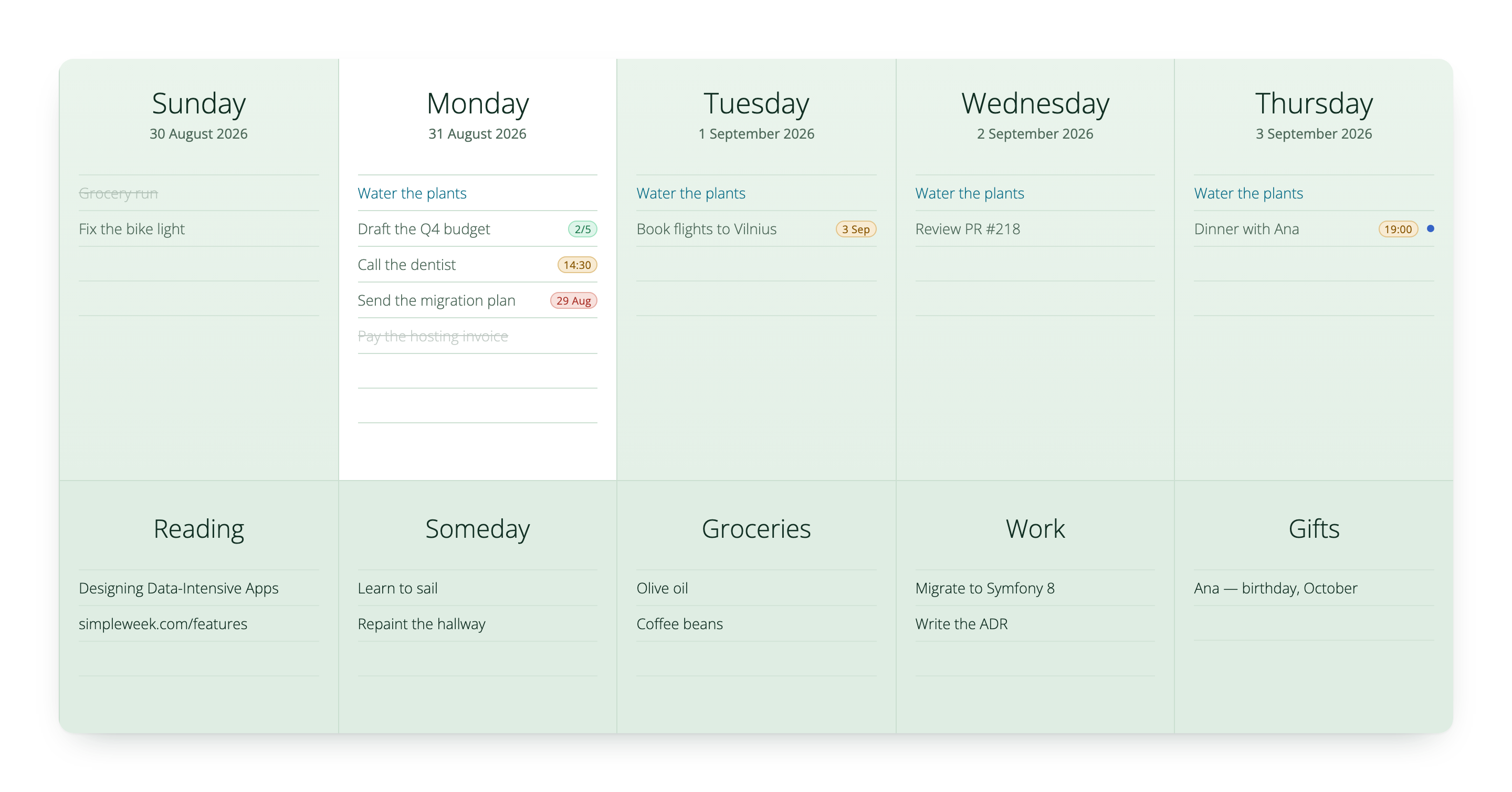
Your whole work week on one screen, with today highlighted and your Someday lists below.
 Live demo
This board is real — open it and start typing
The demo is the whole app with a week already filled in. Move a task to another day, tick one off, look through the Someday lists. No email and no password, and nothing you do there is kept.
Eight years of small additions
Every one of these started as something we needed while planning our own week.
Rollover
Anything you don't finish is waiting on tomorrow when you open it. Nothing piles up in a list you have to go back to.
Recurring tasks
Daily, weekly or every other week. The task appears on the day it's due and nowhere else.
Someday lists
Columns you name yourself, below the week, for everything without a date: Reading, Groceries, One day.
Deadlines
Give a task a time and it gets a small badge. It turns amber as the deadline approaches and red once it has passed.
Checklists
Break a task into steps and the row shows a small 2/5 that fills in as you go.
Markdown
Bold, italic and clickable links, written the way you already type them.
Google Calendar
Start a task with a time and it becomes a calendar event, so the reminder reaches your phone and your watch.
Workspaces
Personal and Work are separate boards behind one switch, each with its own keyboard shortcut.
A layout made for one hand
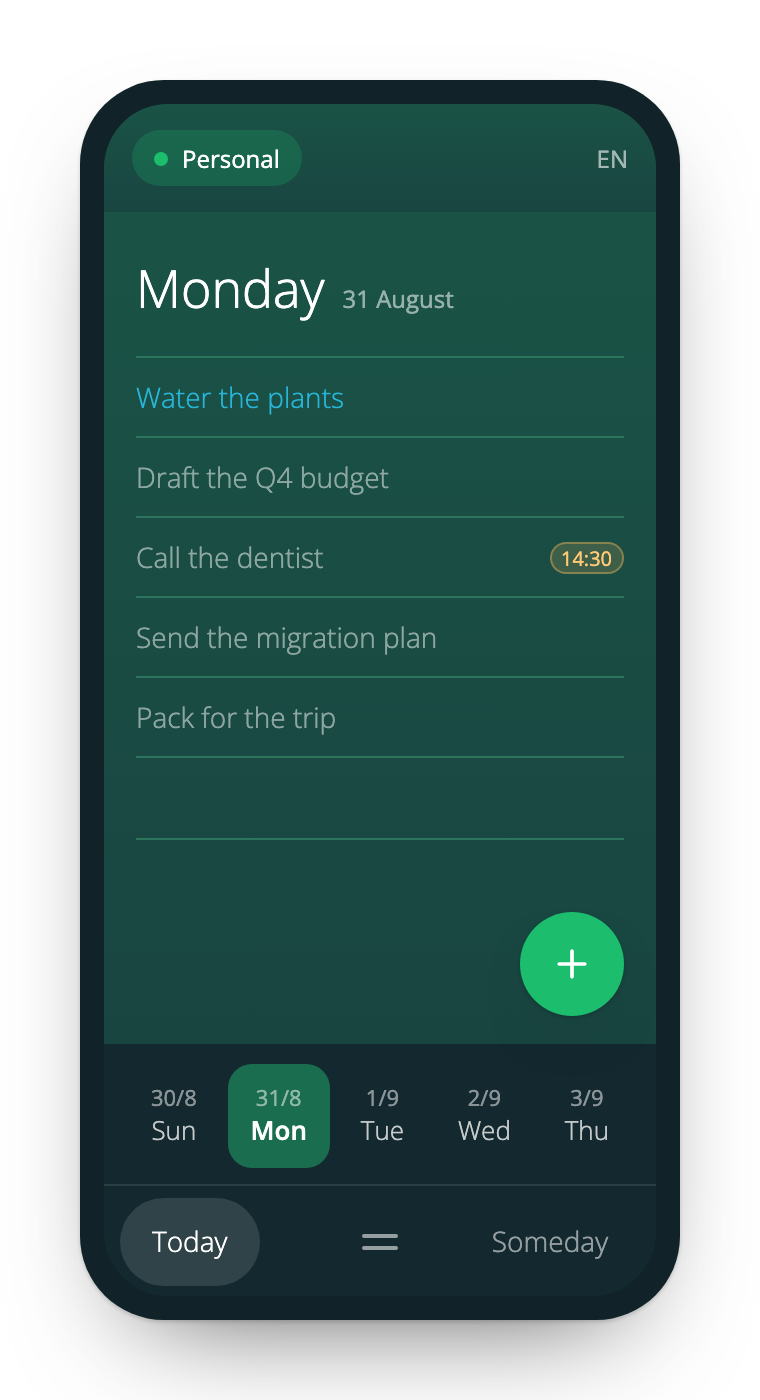
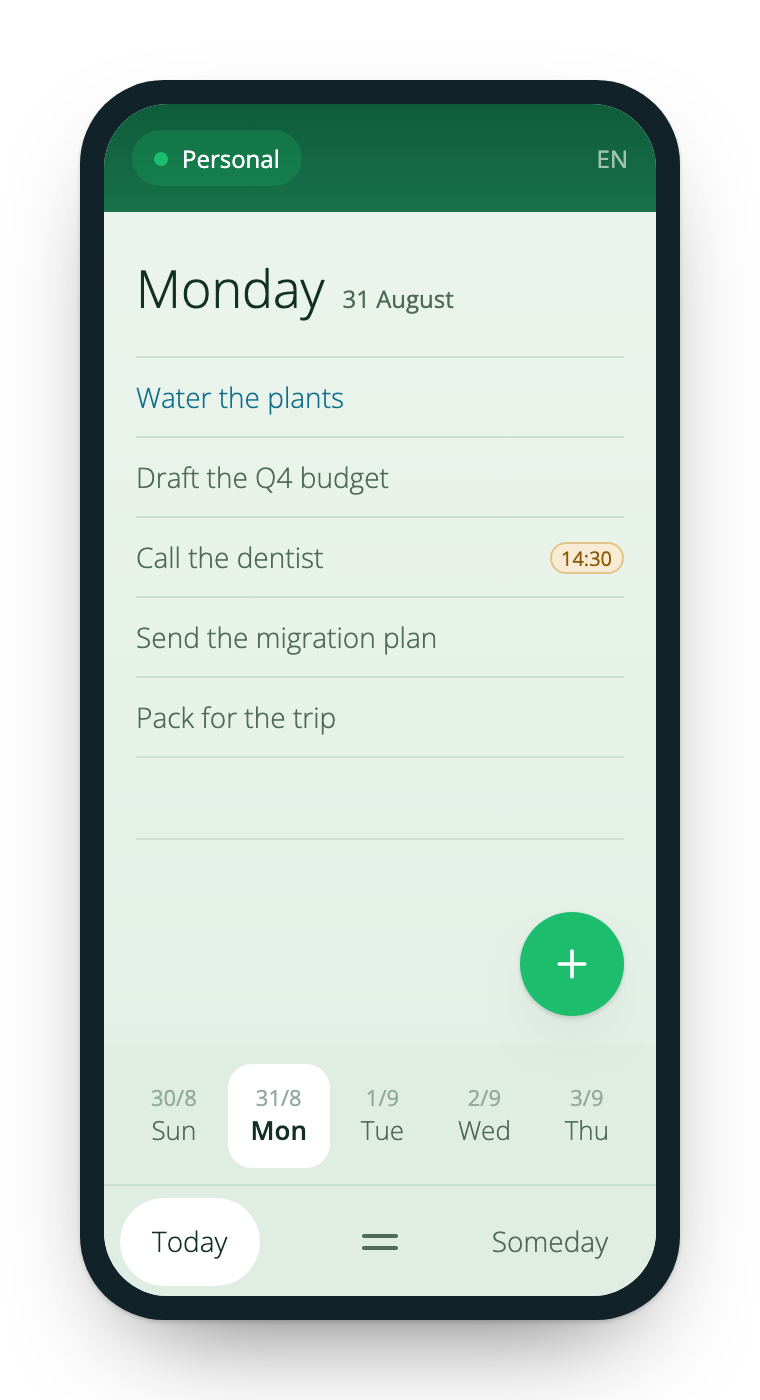
Five columns don't fit on a phone screen, so the week becomes one day at a time, with the other days on a strip under your thumb.
One day fills the screen, so task titles aren't cut off after three words.
Swipe a row left to edit or delete it — there's no hover on a touch screen.
The day strip and the tab bar sit at the bottom, within reach of your thumb.
Two themes, one board
Deep green, or Mint Wash — where today is a clean white page and the rest of the week steps back. It follows your system setting until you choose one yourself.
Install it like an app
SimpleWeek installs straight from your browser and sits in your Dock or on your home screen, with its own window and no address bar.
In your own language
Interface, day names and dates in different languages, in your own time zone, so today's column really is your today.
Start on today's column
Write one task, come back tomorrow, and it'll be there in today's column. That's the whole idea.